Google Manual Action vs Algorithmic Ranking Drop: How to Tell the Difference
Your Google rankings dropped. Organic traffic is down. Search Console isn't showing an obvious explanation.
Before you start removing backlinks, rewriting your entire website, or submitting a reconsideration request, you need to determine what actually caused the decline.
A Google Manual Action and an algorithmic ranking change can produce similar symptoms, but they are fundamentally different problems and require different responses.
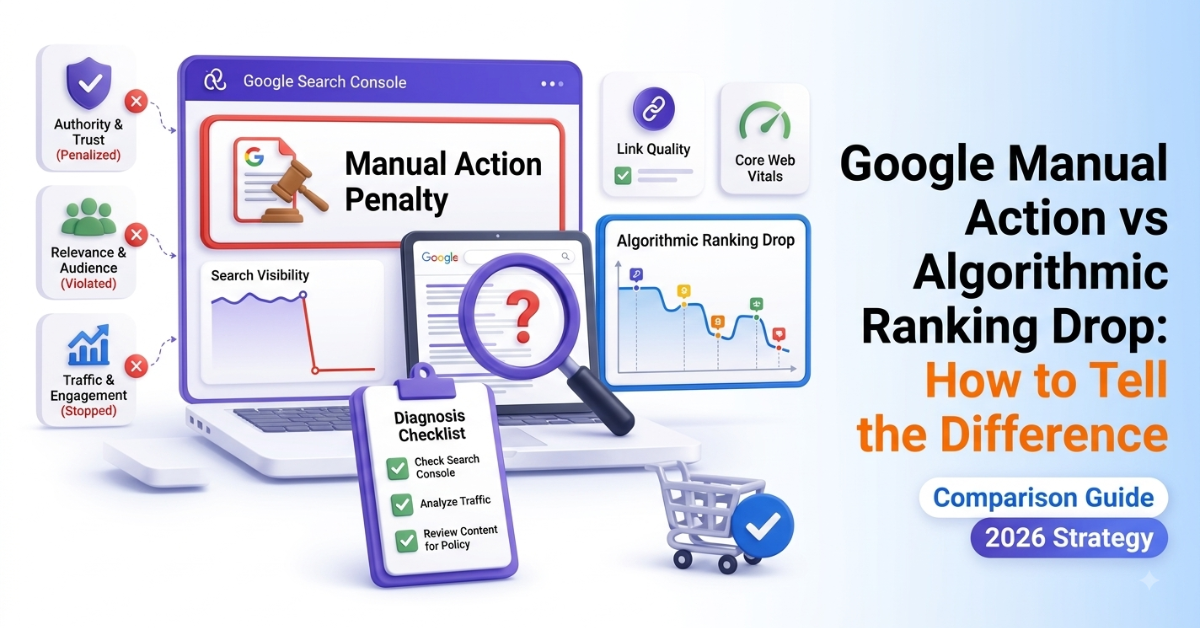
A Manual Action is a specific action recorded in Google Search Console after Google determines that a site has violated its spam policies. An algorithmic ranking change, by contrast, happens through Google's automated ranking systems and does not generate a Manual Actions notification.
And there's an important third possibility: your traffic drop may have nothing to do with either one. Technical problems, indexing issues, security problems, changing search demand, seasonality, migrations and changes in the search results can also cause organic traffic to fall.
Here's how to diagnose the difference without guessing.
Google Manual Action vs Algorithmic Penalty: The Short Answer
The quickest diagnostic is to start with Google Search Console.
If Google has issued a Manual Action, it will appear in the Manual Actions report. Google identifies the violation and indicates which parts of the site are affected.
If the Manual Actions report is clean, you do not have a reported Manual Action. Your ranking decline could instead be related to an algorithmic change, technical SEO issue, changing search demand, competition, indexing or another factor.
It's also worth being precise about terminology. SEOs often call algorithmic ranking declines an "algorithmic penalty," but Google generally describes these situations as changes to its ranking systems rather than a penalty against an individual website.
Google's core updates, for example, are broad changes to its ranking systems. A page moving down after an update does not automatically mean that Google found something wrong with the page. Google specifically recommends assessing the affected pages and queries before making changes.
The practical difference
|
Factor |
Google Manual Action |
Algorithmic Ranking Change |
|
Who/what applies it? |
Human review resulting in a Manual Action |
Google's automated ranking systems |
|
Appears in Search Console? |
Yes, in Manual Actions |
No Manual Action entry |
|
Specific violation named? |
Yes |
No |
|
Can it affect part of a site? |
Yes |
Yes |
|
Can it affect an entire site? |
Yes |
Potentially |
|
Requires reconsideration request? |
Yes, after fixing the violation |
No |
|
Usually connected to an update? |
Not necessarily |
Sometimes |
|
Recovery approach |
Fix the violation and request reconsideration |
Diagnose and improve the underlying issue/signals |
What Is a Google Manual Action?
A Manual Action occurs when Google determines through human review that a site has violated its spam policies.
The important distinction is that this is not something you have to infer from your traffic graph.
If a Manual Action has been applied, Google provides information about it in Search Console.
Depending on the issue, the action may affect specific pages, sections or the entire site.
Common examples include issues involving:
- Unnatural links to your site
- Unnatural links from your site
- Thin content with little or no added value
- Pure spam
- Other violations of Google's spam policies
The exact action and affected scope shown in Search Console should determine your recovery strategy.
What does a Manual Action look like?
The clearest signs are:
- A named action appears in the Manual Actions report.
- Google identifies the type of violation.
- Search Console indicates the affected scope.
- You need to address the violation before requesting reconsideration.
This is much stronger evidence than simply seeing rankings fall.
What Is an Algorithmic Ranking Drop?
An algorithmic ranking drop occurs when Google's automated systems change how your pages are evaluated or ranked.
This can happen during a broad core update, a spam-related update or other changes to Google's ranking systems.
However, don't automatically assume that an algorithmic ranking decline means your website has been "penalized."
Google explains that core updates are broad changes to its ranking systems. Pages can lose positions because other pages are now considered more helpful or relevant, even when the affected pages have not violated Google's policies.
That distinction matters.
If your rankings fall after a core update, the correct question isn't simply:
"What did Google penalize me for?"
A better question is:
"What changed, which pages and queries were affected, and where are competing results doing a better job?"
First: Rule Out Other Causes of the Traffic Drop
Before deciding between a Manual Action and an algorithmic ranking change, check the other common causes of organic traffic loss.
Google recommends investigating several possibilities, including technical issues, security issues, manual actions, algorithmic changes, seasonality, changing search demand and site migrations.
Check for:
Technical SEO problems
Look for:
- Accidental noindex directives
- Incorrect canonical URLs
- Robots.txt changes
- Server errors
- Crawling problems
- Redirect problems
- URL changes
- Indexing issues
- Recent site migrations
Security issues
Check Search Console for security warnings or other indications that the website has been compromised.
Search demand changes
Your website may not have lost rankings at all. Search volume for the queries you're targeting may simply have declined.
Use Google Trends and Search Console to determine whether the decline is isolated to your site or part of a broader change in search interest.
SERP and competitive changes
A competitor can improve its content, earn stronger links, add better information or gain new SERP features.
Your page can therefore lose clicks or positions without receiving any penalty.
How to Tell if You Have a Manual Action
Step 1: Open Google Search Console
Go to:
Security & Manual Actions → Manual Actions
If Google has issued a Manual Action, the report will identify it.
If the report says there are no issues, that rules out a reported Manual Action.
It does not prove that your ranking decline is algorithmic.
That's an important distinction.
A clean Manual Actions report means you should continue investigating other possible causes.
Step 2: Check the Timing of the Drop
Once you've ruled out a Manual Action, compare the date of your traffic or ranking decline with Google's documented ranking updates.
Google publishes information about notable ranking updates.
If your decline overlaps with a confirmed core update, that is useful evidence.
But timing alone isn't proof.
You should also examine:
- Which pages lost traffic?
- Which queries declined?
- How large were the position changes?
- Did impressions fall?
- Did clicks fall?
- Did other search types change?
- Did competitors move?
- Did search demand change?
Google recommends waiting until a core update has finished rolling out and then comparing appropriate date ranges before drawing conclusions.
Step 3: Segment Your Search Console Data
Don't analyze the entire domain as one number.
In Search Console, compare your performance by:
- Page
- Query
- Country
- Device
- Search appearance
- Search type
Look for patterns.
Example
If 80% of the decline comes from five pages, investigate those pages first.
If thousands of pages across multiple categories lost visibility at roughly the same time, investigate broader site-level and algorithmic factors.
If only one URL disappeared, investigate that URL's indexing, canonical, content and technical status before blaming an algorithm update.
Step 4: Compare Your Competitors
Search for the queries that lost the most traffic.
Compare the pages that now rank above yours.
Ask:
- Are they more comprehensive?
- Do they answer the search intent better?
- Is their information more current?
- Do they provide original research or examples?
- Is their content easier to navigate?
- Do they demonstrate stronger expertise?
- Are they better aligned with the query?
This is particularly important after core updates because Google may simply be reassessing which results are most useful.
How to Diagnose a Backlink-Related Problem
Backlinks deserve investigation, but they should not automatically become your first suspect.
Look for patterns such as:
- Large-scale link buying
- Links created primarily to manipulate rankings
- Excessive link exchanges
- Automated link generation
- Paid links passing ranking credit
- Spammy guest-post campaigns
- Keyword-rich anchor text used unnaturally at scale
- Links from obvious link networks or low-quality sites
Google's spam policies explicitly identify buying or selling links for ranking purposes, excessive link exchanges, automated link creation and certain paid guest-post or advertorial links that pass ranking credit as spam practices.
However, the presence of a low-quality backlink does not automatically mean your site has a Manual Action.
Google's systems are designed to handle many unwanted or manipulative links automatically.
If you're evaluating guest posting services, the same principle applies: the existence of a paid placement isn't by itself the whole story; how the link is handled and whether it is intended to manipulate rankings matters.
Should You Disavow Backlinks After a Ranking Drop?
Usually, don't disavow backlinks simply because rankings fell.
Google's guidance says that most sites do not need to use the disavow tool.
Disavowal is primarily an advanced tool for situations where you have a clear reason to tell Google which links you want ignored, particularly when dealing with unnatural links and a relevant Manual Action.
Before disavowing:
- Identify the actual backlink pattern.
- Determine whether the links violate Google's spam policies.
- Attempt to remove problematic links where appropriate.
- Document your cleanup efforts.
- Use the disavow tool only when there is a clear need.
A ranking decline alone is not sufficient evidence that you should disavow your entire backlink profile.
If you are reviewing your overall link building strategy, focus on relevance, publisher quality and the actual value of the placements rather than simply increasing backlink volume.
How to Recover From a Google Manual Action
If Search Console confirms a Manual Action, the recovery process is different.
1. Understand the exact violation
Read the Manual Actions report carefully.
Don't attempt to fix every SEO issue on your website just because traffic has declined.
Focus first on the violation Google actually identified.
2. Identify all affected pages and links
For link-related actions, analyze the backlink profile and identify the patterns that created the problem.
For content-related actions, review the affected pages and determine why they violate Google's policies.
3. Remove or correct the violation
For unnatural links, make reasonable efforts to remove problematic links.
For problematic content, improve or remove pages where appropriate.
The goal isn't to make a superficial change. You need to address the underlying violation.
4. Document the work
Keep records of:
- Links you contacted publishers to remove
- Links that were successfully removed
- Links that could not be removed
- Content that was rewritten
- Pages that were removed
- Technical changes made
- Other corrective actions
This documentation can help demonstrate the work completed during reconsideration.
5. Submit a reconsideration request
Once the violation has been properly addressed, submit a reconsideration request through Search Console.
A reconsideration request is for Manual Actions. It isn't a general request asking Google to restore rankings after an algorithmic update.
How to Recover From an Algorithmic Ranking Drop
There is no reconsideration request for a normal algorithmic ranking decline.
Instead, diagnose why your pages lost relative visibility and improve the underlying areas.
Start with the pages that experienced the largest declines.
Improve content quality
Ask:
- Does the page completely satisfy the search intent?
- Is the information accurate and current?
- Does it provide enough original value?
- Is important information missing?
- Is the content unnecessarily repetitive?
- Does the page demonstrate real expertise?
- Can users accomplish what they came to the page to do?
Improve content structure
Consider:
- Better headings
- Clearer explanations
- Better internal linking
- Useful examples
- Original data
- Supporting evidence
- Tables where appropriate
- Better navigation
- Stronger answers to related questions
Review your backlink strategy
Don't respond to an algorithmic decline by buying hundreds of new links.
Instead, build authority through relevant, editorially justified mentions and links from sites that are genuinely useful to your audience.
If you're looking for a link building service, evaluate the relevance and quality of the publisher opportunities rather than judging a campaign only by the number of backlinks it promises.
Give Google time to reassess changes
Ranking systems continuously change and re-evaluate websites.
Google notes that some improvements can show effects within days, while broader improvements may take considerably longer.
There is no guaranteed recovery timeline.
Manual Action vs Algorithmic Ranking Drop: A Simple Diagnostic Framework
Use this process whenever organic traffic suddenly declines.
Question 1: Is there a Manual Action?
Yes → Follow the Manual Action recovery process.
No → Continue investigating.
Question 2: Did the decline coincide with a confirmed Google update?
Yes → Investigate the pages and queries affected by the update.
No → Continue investigating.
Question 3: Did indexing or technical performance change?
Check:
- Indexing
- Canonicals
- Robots.txt
- Noindex
- Server status
- Redirects
Question 4: Did search demand change?
Check Google Trends and Search Console.
Question 5: Did competitors gain visibility?
Compare the pages now ranking above you.
Question 6: Is there evidence of spam or manipulative links?
Only after identifying a genuine pattern should you consider link cleanup or disavowal.
Can You Have Both a Manual Action and an Algorithmic Ranking Problem?
Yes.
These aren't mutually exclusive.
A site can have a Manual Action while also being affected by broader ranking-system changes.
That's another reason why finding one problem doesn't necessarily explain every traffic decline.
If Search Console shows a Manual Action, fix it. But continue analyzing the rest of the site's organic performance rather than assuming every ranking change has the same cause.
The Bottom Line
A Google ranking drop does not automatically mean your website has been penalized.
Start with evidence.
Check Manual Actions first. Then investigate technical issues, indexing, algorithm updates, search demand, competitors, content quality and backlink patterns.
If Google has issued a Manual Action, fix the specific violation and submit a reconsideration request.
If there is no Manual Action, don't waste time trying to submit one. Diagnose what changed and improve the areas that matter.
And if backlinks are part of the problem, focus on building a clean, relevant and editorially defensible link profile rather than reacting to every ranking decline by disavowing links or purchasing large volumes of new placements.
For businesses rebuilding their authority, Vefogix marketplace can help evaluate publisher opportunities using transparent website-level information before a placement is selected. The goal should always be a sustainable link strategy—not simply more links.
Frequently Asked Questions
Check the Manual Actions report in Google Search Console. Google uses the term "Manual Action" rather than "manual penalty." If an action has been issued, Search Console identifies the violation and affected scope.
A clean Manual Actions report means you don't have a reported Manual Action. Investigate algorithmic changes, technical SEO problems, indexing, search demand, competition, security issues and other possible causes.
Not necessarily. SEO professionals often use the term "algorithmic penalty," but Google describes many ranking declines as changes in how its ranking systems evaluate and order results. A page can lose visibility without violating Google's spam policies.
No. Reconsideration requests are intended for Manual Actions. If your visibility declined after an algorithmic update and there is no Manual Action, focus on diagnosing and improving the affected pages and signals.
Not automatically. Google says most sites do not need to use the disavow tool. First determine whether you actually have a serious unnatural-link problem and whether a Manual Action exists.
Manipulative link practices can violate Google's spam policies. However, having some low-quality backlinks does not automatically mean your website has been penalized. Investigate the overall pattern and Search Console status before taking action.
There is no universal recovery timeline. First you must correct the violation, submit a reconsideration request and wait for Google's review. Once the action is removed, rankings may still take additional time to recover.
There is no fixed timeline. Google says some changes can take effect within days, while broader improvements can take months to be reflected in search performance.
No. Traffic can fall because of technical problems, indexing issues, security problems, changing search demand, seasonality, site migrations, competitors, SERP changes, algorithmic changes or Manual Actions.
Start with Google Search Console. Check the Manual Actions and Security Issues reports, then investigate the Performance report, indexing and technical changes before assuming you have a Google penalty.