Free XML Sitemap URL Extractor
Paste a sitemap URL and get a clean, exportable list of every indexed page in seconds.
Used by SEOs, developers, and site auditors worldwide.
Results
Your extracted URLs will appear here
Understanding the Basics
What Is an XML Sitemap — and Why Should You Care?
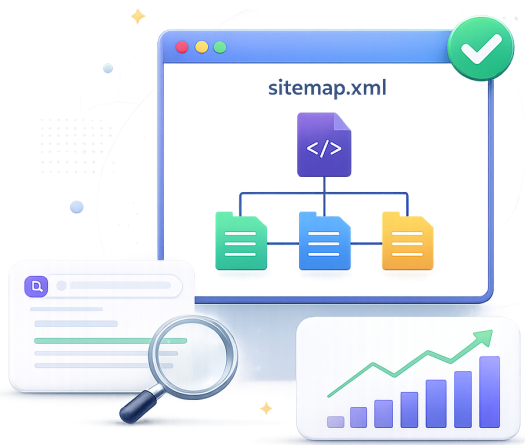
An XML sitemap is a structured file that lists every important URL on your website. It acts as a roadmap for search engine crawlers like Googlebot, helping them discover and index your pages efficiently — even ones buried deep in your site architecture.
Unlike HTML sitemaps designed for human visitors, XML sitemaps are machine-readable and include metadata: when a page was last modified, how often it changes, and its priority relative to other pages. Google, Bing, and Yandex all support the Sitemap Protocol 0.9 standard.
When you extract URLs from a sitemap, you instantly get a snapshot of what your site is telling search engines to index — giving you actionable data for audits, migrations, competitor research, and crawl budget analysis.
Step-by-Step Guide
How to Extract URLs from a Sitemap
Follow these four steps to go from sitemap URL to a clean, usable list of every page on a website.








6 Reasons SEOs Extract Sitemap URLs

SEO
Expert

Site Migration Mapping
Before migrating a site, extract all URLs from both the old and new sitemap. Compare them side-by-side to ensure no pages are orphaned, missing redirects, or accidentally excluded from the new structure.

Crawl Budget Auditing
Large sites have a finite crawl budget. By extracting your sitemap URLs you can spot non-canonical URLs, thin pages, and low-value content that wastes Googlebot's crawl allowance.

Competitor Research
Extract a competitor's public sitemap to see exactly how many pages they've indexed, what content categories they prioritize, and where the gaps in their coverage are — all without any special tools.

Content Inventory Audits
Run sitemap URLs through a content audit spreadsheet to classify each page by type, traffic, and performance. A prerequisite step for any content strategy project or pruning exercise.

Internal Link Analysis
Having the full list of indexed URLs lets you identify pages receiving zero internal links (orphan pages) and those that are under-linked — quick wins for both crawlability and PageRank distribution.

Indexation Monitoring
Compare your sitemap URL list against Google Search Console's index coverage report to identify pages submitted but not indexed — a reliable way to surface crawl anomalies, soft-404s, and duplicate content issues.
Reference Guide
Types of XML Sitemaps — Which One Do You Have?
| Sitemap Type | URL Pattern | Best For | Max URLs | Supported |
|---|---|---|---|---|
| Standard XML Sitemap | /sitemap.xml | Sites under 50,000 pages; most CMS platforms | 50,000 | ✓ Fully |
| Sitemap Index File | /sitemap_index.xml | Large sites splitting into multiple sitemaps | 50,000 index refs | ✓ Recursively |
| News Sitemap | /news-sitemap.xml | Google News publishers; articles from last 48h | 1,000 | ✓ URLs Only |
| Image Sitemap | /image-sitemap.xml | E-commerce & media sites; Google Image Search | 1,000 per page | ✓ URLs Only |
| Video Sitemap | /video-sitemap.xml | Video publishers; YouTube embeds; streaming sites | 50,000 | ✓ URLs Only |
| Compressed Sitemap | /sitemap.xml.gz | Large sites minimising bandwidth usage | 50MB uncompressed | ⚠ Some limits |
Suggested Tools
Bulk DA PA Checker
Check DA, PA, and Spam Score of multiple URLs in bulk
XML Sitemap Extractor
Extract all URLs from any XML sitemap quickly and easily
AMP Validator
Validate your Accelerated Mobile Pages for optimal performance
Competitor Guest Post Checker
Analyze guest post links your competitors have earned
Backlink Generator
Generate high-quality backlinks to improve your site authority

Word Counter
Count words, characters, and analyze text readability
Frequently Asked Questions

Typically, you can find your sitemap by appending '/sitemap.xml' or '/sitemap_index.xml' to your website's root domain (e.g., https://example.com/sitemap.xml). You can also check your site's robots.txt file, which often includes a direct link to the sitemap.
There are several reasons a sitemap might fail to load. The URL might be incorrect, your server could be blocking automated requests, the XML file might be improperly formatted, or it may be timing out. Ensure the URL is accessible in a normal browser first.
Yes! If you provide a sitemap index file, our extractor is fully capable of parsing it and following nested sitemaps to retrieve the complete list of URLs across all linked child sitemaps.
While Google Search Console allows you to submit your sitemap and view indexing status, this tool provides an immediate, raw extraction of every single URL listed in the file. It is designed for rapid data exporting and auditing without needing verified ownership of the domain.
Absolutely. Since XML sitemaps are publicly accessible files designed for search engines, you can use this tool to extract and analyze a competitor's URLs, helping you reverse-engineer their site structure and content strategy.
Currently, our tool focuses on extracting and exporting the raw URLs to provide you with a clean, easy-to-use list for immediate auditing, link building, or migration mapping.
Our backend infrastructure is highly optimized to handle very large sitemaps, easily extracting tens of thousands of URLs. For extremely large index files, the process runs asynchronously in the background and paginates the results to ensure perfect stability.
No, we respect your privacy and data security. The sitemap URLs are processed in real-time to generate your extraction results and are never permanently stored or logged in our databases.
- Press Release Packages
- Combo Packages
- Full SEO Packages
- Local SEO
- Guest Posts
- On Page SEO
- Keyword Research
- Video SEO
- PBN Links
- Backlinks
- AI SEO Packages
- SEO Metrics
- Content Writing Services
- Press Release Content
Expert SEO Guidance
What to Do with Your Extracted URLs
Extraction is step one. Here's how to turn a raw URL list into real SEO improvements.
Sitemap Hygiene Checks
- Remove non-canonical URLs — only canonical pages should appear in your sitemap
- Exclude paginated pages (/page/2, /page/3) unless they have unique content value
- Strip URLs returning 4xx or 3xx — sitemaps should only contain 200-status pages
- Check for accidentally indexed staging or dev URLs (staging.example.com)
- Ensure all sitemap URLs use the correct canonical domain (with or without www)
Content Strategy Insights
- Sort URLs by folder structure to see which content categories dominate your index
- Cross-reference with Google Analytics to find indexed pages with zero traffic
- Identify content gaps by comparing your sitemap to a competitor's extracted URLs
- Use lastmod dates to find pages that haven't been updated in 12+ months
- Flag thin pages (very short URLs with no depth) for content expansion or noindex
Technical SEO Actions
- Import URLs into Screaming Frog's 'List Mode' for an instant technical crawl
- Bulk-check indexation status using the site: operator or GSC URL Inspection
- Build a redirect map for site migrations using the old sitemap as the source of truth
- Detect duplicate URL patterns (trailing slashes, uppercase paths, UTM parameters)
- Validate hreflang by comparing sitemap URLs across language variants
Link Building Opportunities
- Extract competitor sitemaps to find their cornerstone content worth analysing
- Identify your own resource pages and tools pages that deserve outreach link building
- Find high-value pages currently receiving no internal links (orphan page audit)
- Use extracted URLs in HARO or digital PR pitches as evidence of site authority
- Monitor which new URLs competitors add to their sitemaps month-over-month
Reviewed by the SitemapTools Editorial Team
Technical SEO · 8+ Years Experience · Google Search Central Community Contributor
This guide and tool have been reviewed by practising technical SEOs with hands-on experience auditing sites from startup blogs to Fortune 500 enterprise platforms. All advice reflects current Google documentation, Search Central guidelines, and Sitemaps Protocol 0.9 specifications. Last reviewed: May 2026.